CMake Overview
CMake for macOS is a free, open-source build system generator maintained by Kitware, the same company behind VTK and ParaView. Version 4.4.1 is the current stable release, distributed for Mac as a universal binary that runs natively on both Intel and Apple Silicon. Rather than compiling code directly, CMake generates native build files, like Makefiles or Xcode projects, from a single set of configuration files. The Mac download installs as a GUI app, but developers most often use it from the terminal, which requires one extra setup step the app itself walks you through. It's the standard build tool behind a large share of open-source C and C++ projects.
Why Choose CMake for Mac
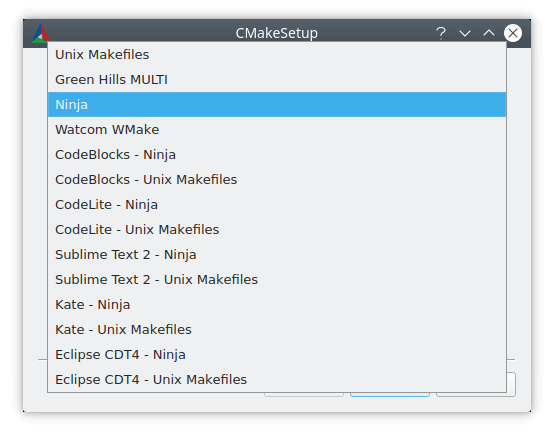
Most build systems are tied to one compiler or one IDE. CMake generates project files for whichever tool you're actually using, whether that's Xcode, Ninja, or plain Makefiles, from the same source configuration. That makes it useful for C and C++ projects that need a build process independent of any single toolchain.
Here's a step that trips up a lot of new Mac users: installing CMake.app from the .dmg gives you a working GUI app, but typing `cmake` in Terminal afterward often returns "command not found." That's because the command-line tools aren't linked automatically. Opening CMake.app and using its Tools menu to install command-line links (or running the equivalent symlink command yourself) fixes this in a few seconds, and it's worth doing immediately after installing if you plan to use CMake from the terminal or with another editor.
Key Features
- Generates native build files for Xcode, Ninja, and Makefiles from one configuration
- Native support for both Intel and Apple Silicon Macs
- Bundled CTest for running and managing project test suites
- Bundled CPack for packaging built software into installers or archives
- GUI app (CMake.app) for configuring build options visually
- Command-line tools for scripting and terminal-based workflows
- Support for out-of-source builds, keeping generated files separate from source code
- Wide compiler support across GCC, Clang, and MSVC
- Active development backed by a large open-source C and C++ ecosystem
What's New in 4.4.1 Version
- CMake 4.4.1 is the current stable release, with 4.4.0-rc3 available as a preview of upcoming changes. Recent focus areas include:
- Continued refinements to generator and compiler support
- Packaging improvements through the bundled CPack tool
- Ongoing compatibility updates across supported platforms
- General bug fixes carried through the 4.4.x release line
- Since CMake underpins a large number of other open-source projects, updates tend to prioritize stability and broad compiler compatibility over frequent feature changes.
Supported macOS Versions
CMake offers two separate Mac downloads: a universal binary for macOS 12 or later, and a separate universal build for Macs running macOS 10.10 or later. Both cover Intel and Apple Silicon natively, so the version you choose depends on how old your Mac's operating system is, not its processor.
How to Install CMake on macOS?
Setting up CMake on your Mac takes a couple of extra steps compared to a typical app.
- Download the latest version of CMake for Mac, matching your macOS version.
- Open the downloaded disk image (.dmg) file.
- Drag the CMake app into your Applications folder.
- Launch CMake from your Applications folder.
- Open the Tools menu and select the option to install command-line links, if you plan to use CMake from Terminal.
- Once installed, you can open the GUI app or run `cmake` directly from Terminal, depending on your workflow.
How to Use CMake?
- Open a terminal and navigate to your project's source directory.
- Run `cmake -S . -B build` to configure the project into a separate build folder.
- Run `cmake --build build` to compile the project using the generated files.
- Use `ctest` from the build folder to run any included test suites.
- Use the CMake GUI app instead if you prefer setting build options visually.
Final Verdict
CMake remains the standard way to manage cross-platform C and C++ builds without locking a project to one compiler or IDE. The Mac installer's one extra step, linking the command-line tools, catches a lot of new users, but it takes seconds to fix once you know where to look. For anyone building open-source or cross-platform software on Mac, CMake is close to unavoidable, and for good reason.
Download CMake for Mac Latest Version
Ready to set up a cross-platform build system on your Mac?
Download CMake for Mac to generate Xcode projects, Makefiles, or Ninja build files from a single configuration, with CTest and CPack included for testing and packaging. Whether you're building an open-source C++ library, compiling a cross-platform app, or setting up a new development environment, CMake gives you a consistent, widely supported build process.